Shop / SOLO Job Application Command Centre
DIGITAL TOOLKIT
SOLO Job Application Command Centre
Run an organised job search and stop losing track.
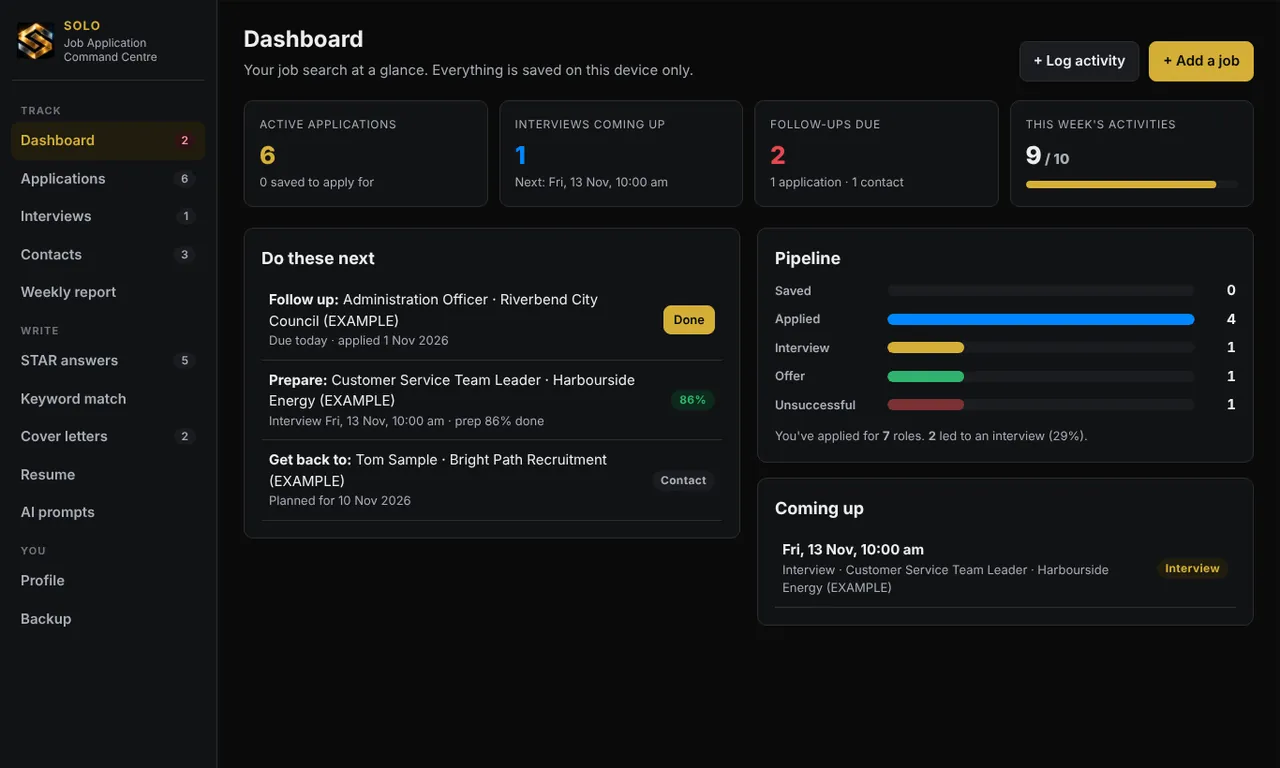
Track applications and follow-ups, build STAR answers, check your resume against the ad's keywords, and create cover letters and interview prep sheets. App + guide + templates.
A$12 AUD · one-off payment
Launch offer: 20% off everything with code LAUNCH20 at checkout. Ends 31 December 2026.
Secure payment by Stripe. Download straight away, plus an emailed link. No subscription. No GST is charged (we are not registered for GST).
30-day money-back guarantee. Not right for you? Email us within 30 days for a full refund, no reason needed. How it works
WHAT IT DOES
Made for: Anyone applying for jobs who wants a clear system instead of a messy inbox.
- Application tracker with follow-up dates
- STAR answer builder for interview questions
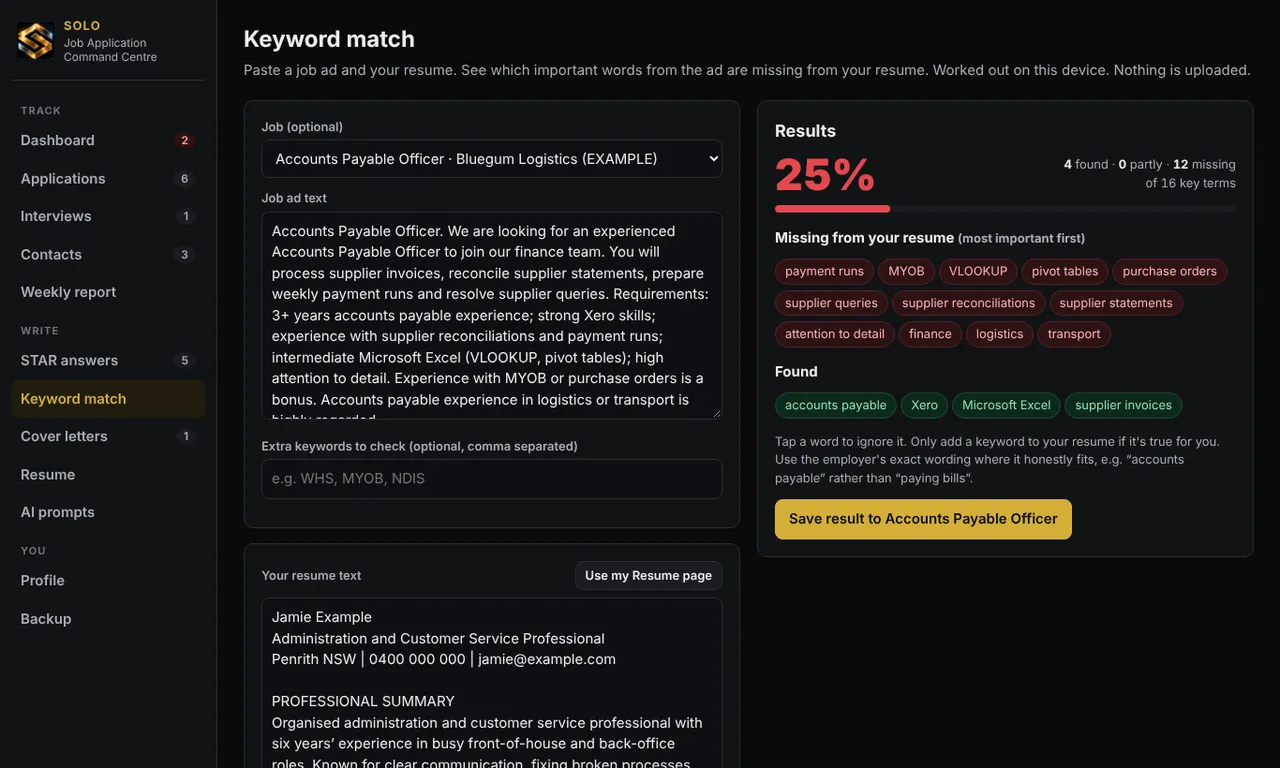
- Resume keyword check against the job ad
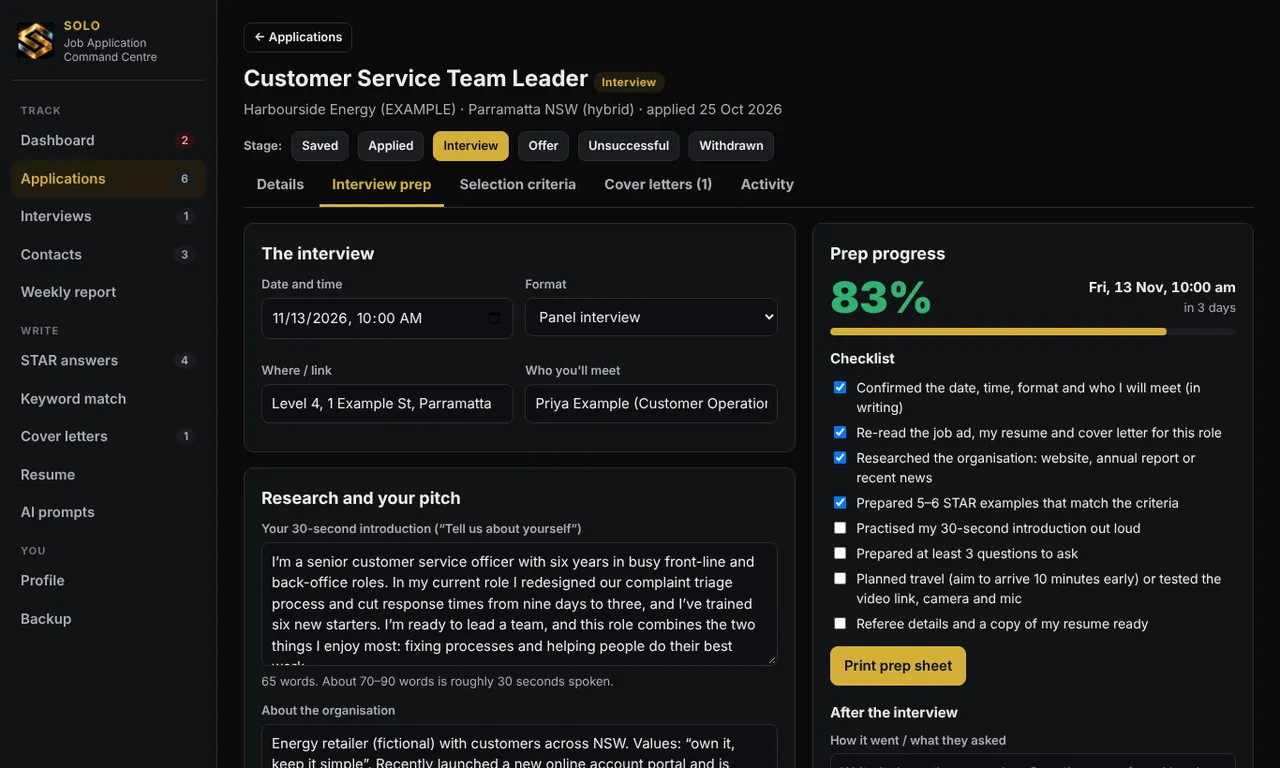
- Cover letter and interview prep sheet builders
- Resume, cover letter and follow-up email templates
SEE IT IN ACTION
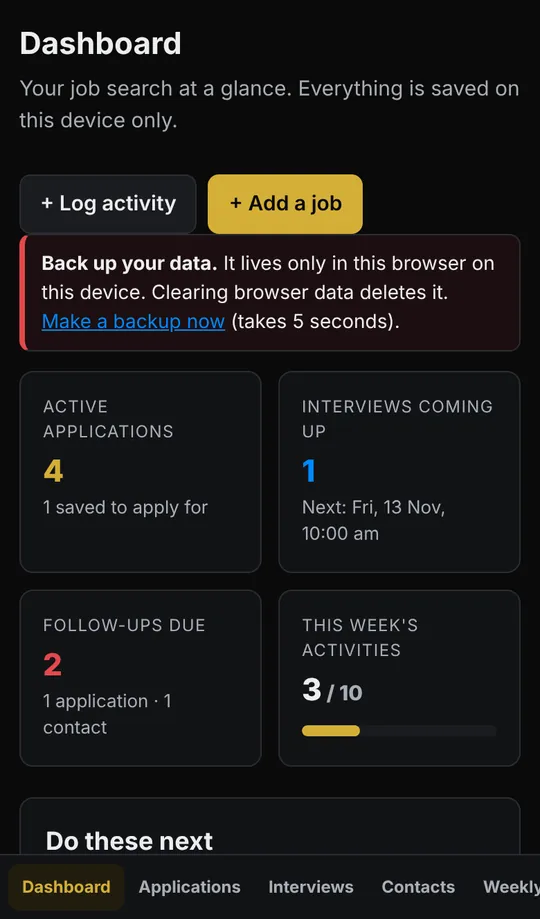
Real screenshots using the built-in example data (fictional business and names).
WHAT'S IN THE DOWNLOAD
- Offline app
- Job Application Command Centre — opens in your web browser, works without internet
- PDF guide
- Job Application Command Centre Guide
- Spreadsheet
- Blank template + filled example (2 Excel files)
- 5 templates
- AI Prompt Library · ATS Resume Template · Cover Letter Templates · Follow Up and Thank You Emails · STAR Interview and Salary Worksheets
Download size about 681 KB · solo-job-application-command-centre-v2.0.zip
QUESTIONS
What do I actually get?
One zip file containing an offline app (a single HTML file you open in your web browser), a PDF guide, templates and an Excel spreadsheet edition. Start with START-HERE.html.
Do I need an account, a subscription or internet?
No. The apps run in your browser from the file on your device, with no login and no monthly fee. Your data is saved in that browser on that device only, so use the built-in backup button to keep a copy.
Will it work on my phone?
The apps are designed for both computer and phone screens. For the first set-up we recommend a computer: unzip the download, then open the app file in Chrome, Edge, Safari or Firefox. Opening downloaded files on a phone varies between devices, so a computer is the easiest place to start. The spreadsheets open in Excel, Google Sheets or Numbers, and the guides in any PDF viewer.
How many times can I download it?
Your links allow 10 downloads for 24 hours. If a link expires, request a fresh one from the "get your downloads again" page using the email you paid with.
What if it is not right for me?
Email hello@thesoloserviceprovider.com.au within 30 days of your purchase and we will refund the full price, no reason needed. Your download links stop working once the refund is processed. This is on top of your rights under the Australian Consumer Law. See our refunds policy.
Is this tax, legal or financial advice?
No. The tools and guides give general information to help you organise your business. Check anything about tax, GST or super with the ATO or your accountant.